 AutoReview Pro
FAQ
AutoReview Pro is a developer tool designed to help Power App Canvas developers. The key benefits are:
- See Key information about the solution
- Solution components
- Contents of each flow
- Interactive diagram for each flow
- Copy paste/export docs
- Definition file
- Custom Code Review Checks (Flags)
Your license key enables you to log in, your key will be emailed to you or can be found at https://app.lemonsqueezy.com/my-orders/
- Select subscription
- Scroll down and click on license key
- Click copy to add key to clipboard
- Paste License Key in
- Give device a name, to help identify if need to log out remotely
- On Log in screen click Log in
- Future log ins will automatically load the app on clicking Log in or navigate directly
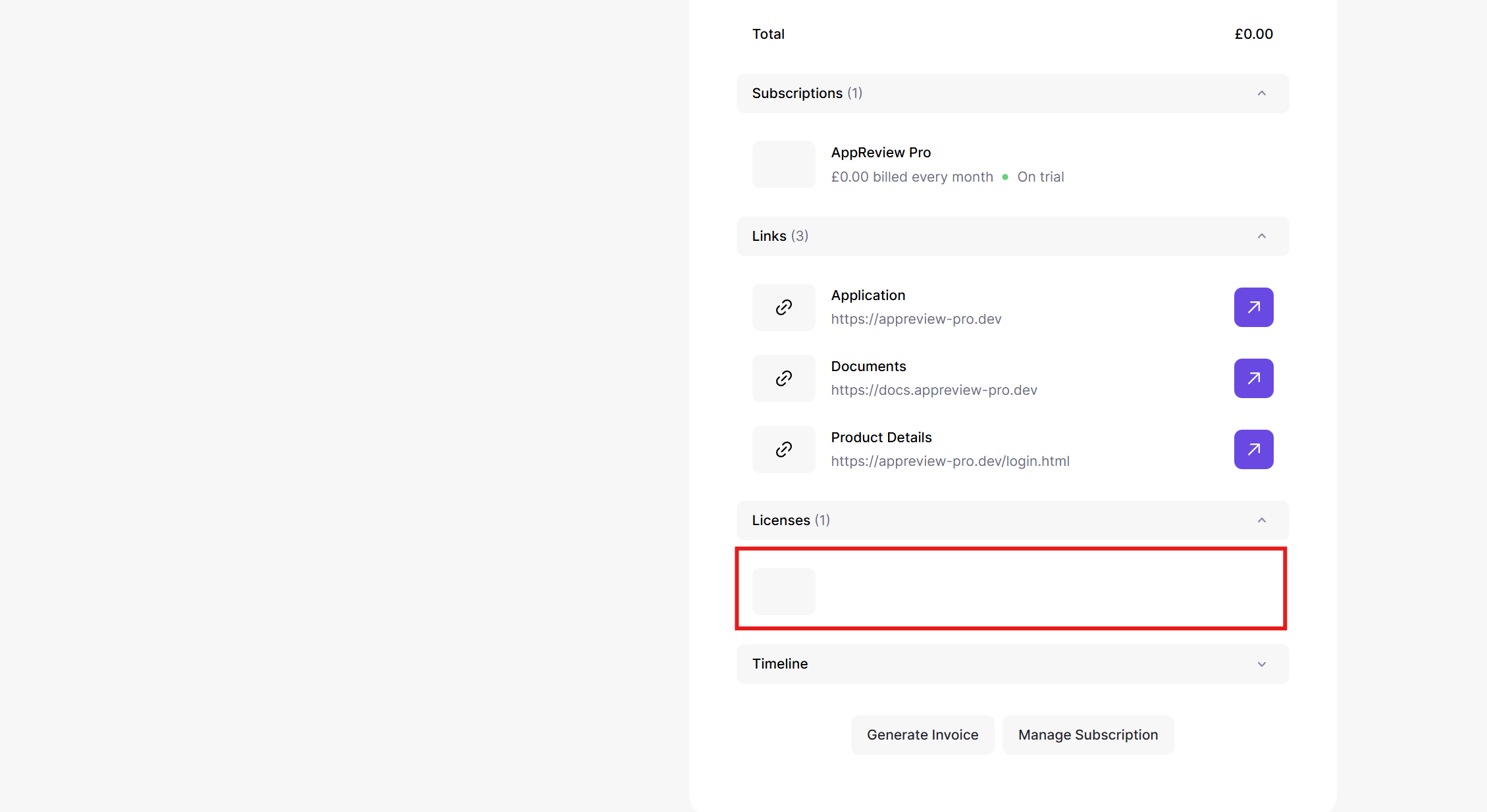
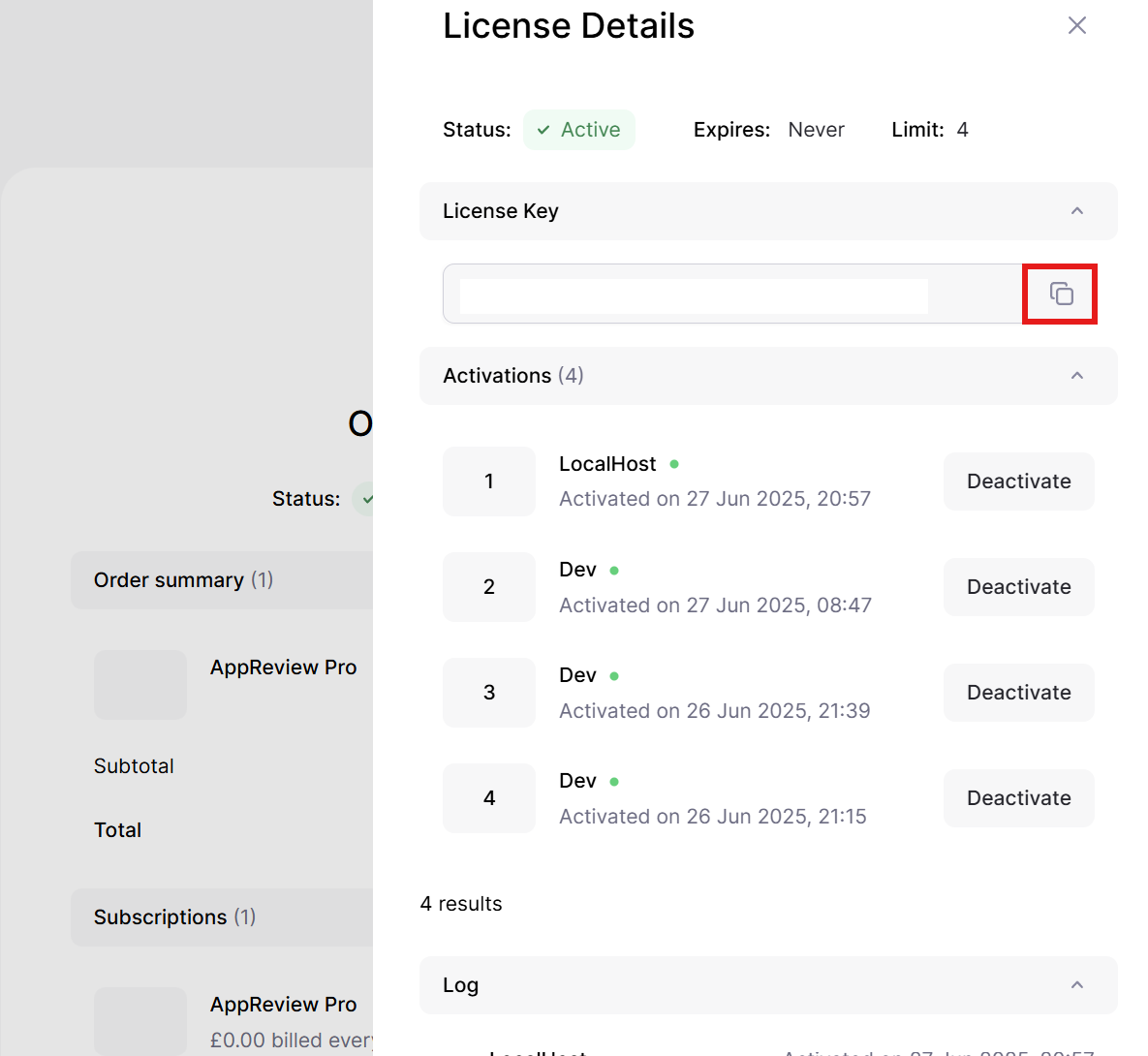

Your license enables you to sign in on 2 devices. If you wish to sign off a device you can from the 'About' section in the settings menu.
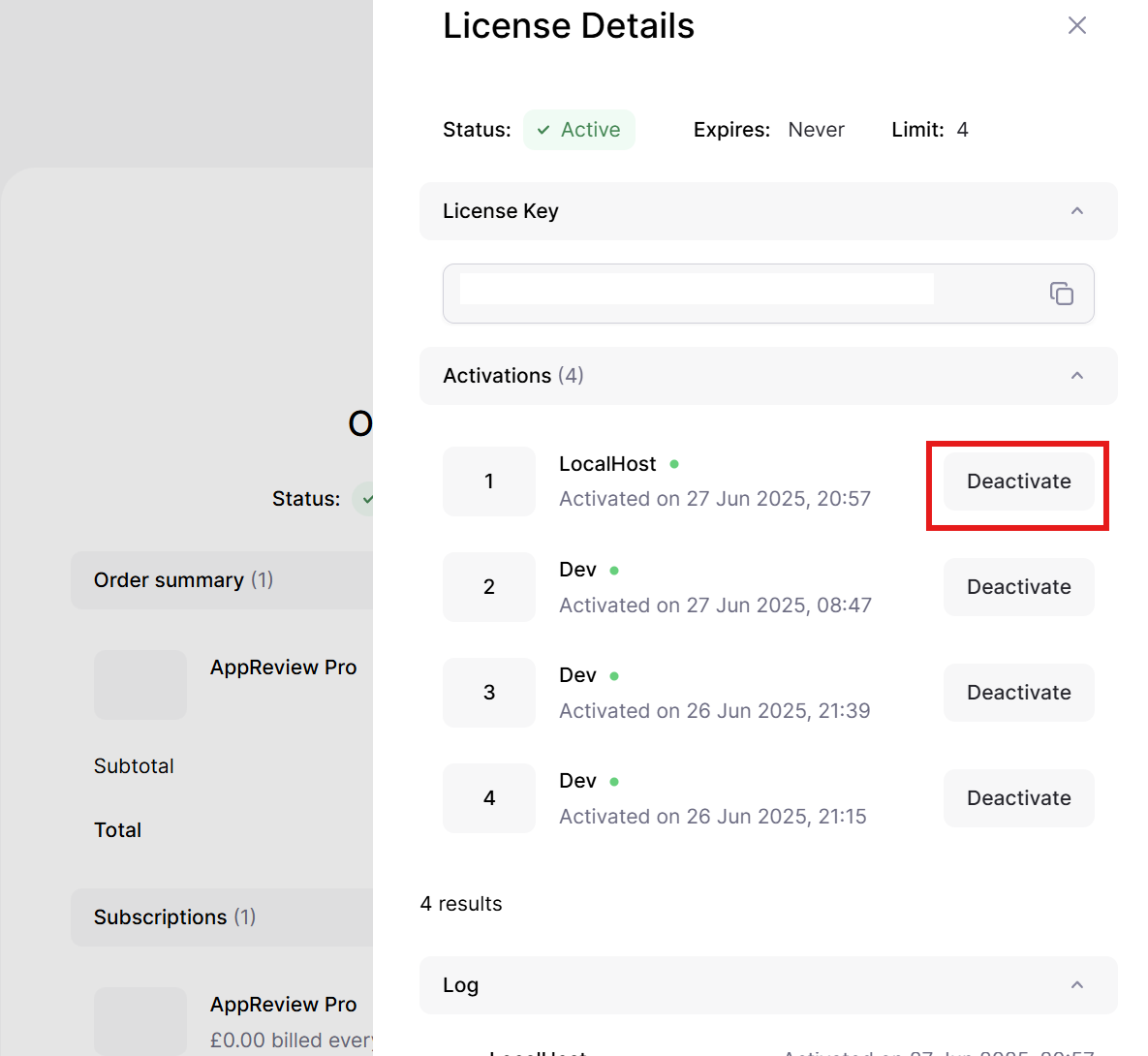
If you are unable to sign in to sign out the device you can through your Lemon Squeezey account.
- Got to https://app.lemonsqueezy.com/my-orders/ and sign in
- Select subscription
- Scroll down and click on license key
- Identify device by name and click deactivate
Your subscription can be cancalled at anytime, if you cancel during the 2 week trial you will not be charged.
All payments are handled by our Merchant of Record Lemon Squeezey (Owned by Stripe), so your subscription must be cancelled through them<. /p>
Navigate to https://power-devbox.lemonsqueezy.com/billing , sign in and then select cancel.

To generate the report you must have your App exported from Power Automate Studio. Legacy flow exports are not supported, only exporting as a solution.
Once exported simplet click 'Chose Export' and select the relevent solution export (.zip) or drag the file into the upload box
AutoReview will check your solution contains a Power Automate flows, please note currently we only support cloud flows not desktop flows.
AutoReview relies on Micrsofts exports, which can be changed with no notice to us, if there is an update this may stop the Flows appearing (or break certain functionality). Once changes are identified we will endever to fix as soon as possible. Please be aware that:
- Legacy Exports will not work
- Depending on the breadth of the change we can not predict or give any timespans
- You can still see solution contents even without a flow, for just Apps we have AppReview/AppReview-Pro and are planning a version for Copilot Studio.
Custom Flags are automated checks you can create which run on every import and will show every fail in the exception tab.
Custom flags are built using JavaScript, so experiene with this language is required (though vibe coding is possible and we are planning prompts to help).
Cutsom flags must:
- Must be valid JavaScript code
- Not use banned functions (select functions are classified as not necessary and will santized with '¬¬¬¬¬¬¬¬¬', as example you cant use fetch)
- Return an object with these keys: Area(string), Component(string), Type(string), Level(string), Reason(string)
- Use the oData object variable to process the export data
A test solution has been loaded into oData for you to use for testing (should cover all areas of the review), but if you upload your own export that will be used for testing.
'Download JSON' will download oData for you to see the data and use with AI code generation.
See our docs for more details (https://docs.powerdevbox.com/autoreview-pro).
AutoReview was started as a free Chrome extensions to help me (Hi im David nice to meet you) complete code reviews. After I found out others wanted to use it I published it and shared it.
Guess what, it had loads of bugs and was took a lot of effort, and then I realised I didnt want it to be a Chrome extension any more, so I created a web version and vs code version. And then I took what I learned and build AutoReview-Pro from the ground up fixing all the mistakes I made on my learning journey.
So AutoReview and AutoReview-Pro are actually 2 different pieces of software, thats why they look so different. AutoReview (free) will still be supported with bug fixes (including ones learned from Pro), but probably won't get many new features, and definietly wont look the same.
Power Apps and Power Automate are very very different, and Copilot Studio even more so. So sadly I couldnt create a unified review tool, but there is AppReview-Pro & AppReview Chrome Ext, and I wan't to do Copilot Studio version, watch this space.
Hi Im David, and I made AutoReview (and everything available at powerdevbox.com). Im fourtunate enough to be a 2 times Micrsoft MVP for Power Automate and Power Apps, and additionally passionate about the Power Plaform and with how much the community supported me, so I wanted to give back.
So I write blogs, check them out here dev.to/wyattdave, support the community sites, and then created dev tools (mostly Chrome extension). They started off just for me, but when others asked about them I thought it would be good to publish and share for free.
With the effort and time the free extensions, and Connector (did I forget to say, I also have a free Power Platform Connector you can use, AutoReview) taking up more time and infrastructure cost I decided to create a paid for versions. Hopefully I kept the price reasonable, but if its too much reachout and I will send you a discount code 😎
Currently I work on this on my own, so please be patient with bug reports and if Microsoft pushs out breaking updates.
And a big thank you for checking AutoReview-Pro out.